The Recruiter's Guide to WhatsApp Templates: Utility, Marketing, and What the Difference Costs You
The Recruiter's Guide to WhatsApp Templates: Utility, Marketing, and What the Difference Costs You

Introduction
Every message your company sends to a candidate on WhatsApp — outside of a candidate-initiated 24-hour conversation window — must use a pre-approved template. This is a META requirement that applies to every business using WhatsApp Business API, and it is one of the most misunderstood aspects of WhatsApp Hiring for teams setting it up for the first time.
Getting it wrong has a direct cost — not just in rejected templates and delayed hiring flows, but in message costs that can be nine times higher than they need to be if you categorize your templates incorrectly.
Why Templates Exist
META introduced the template system to prevent WhatsApp from becoming a spam channel. Templates solve this by requiring every business-initiated message to be pre-approved by META before it can be sent. Approved templates can be used indefinitely. Rejected templates must be edited and resubmitted.
The Three Template Categories
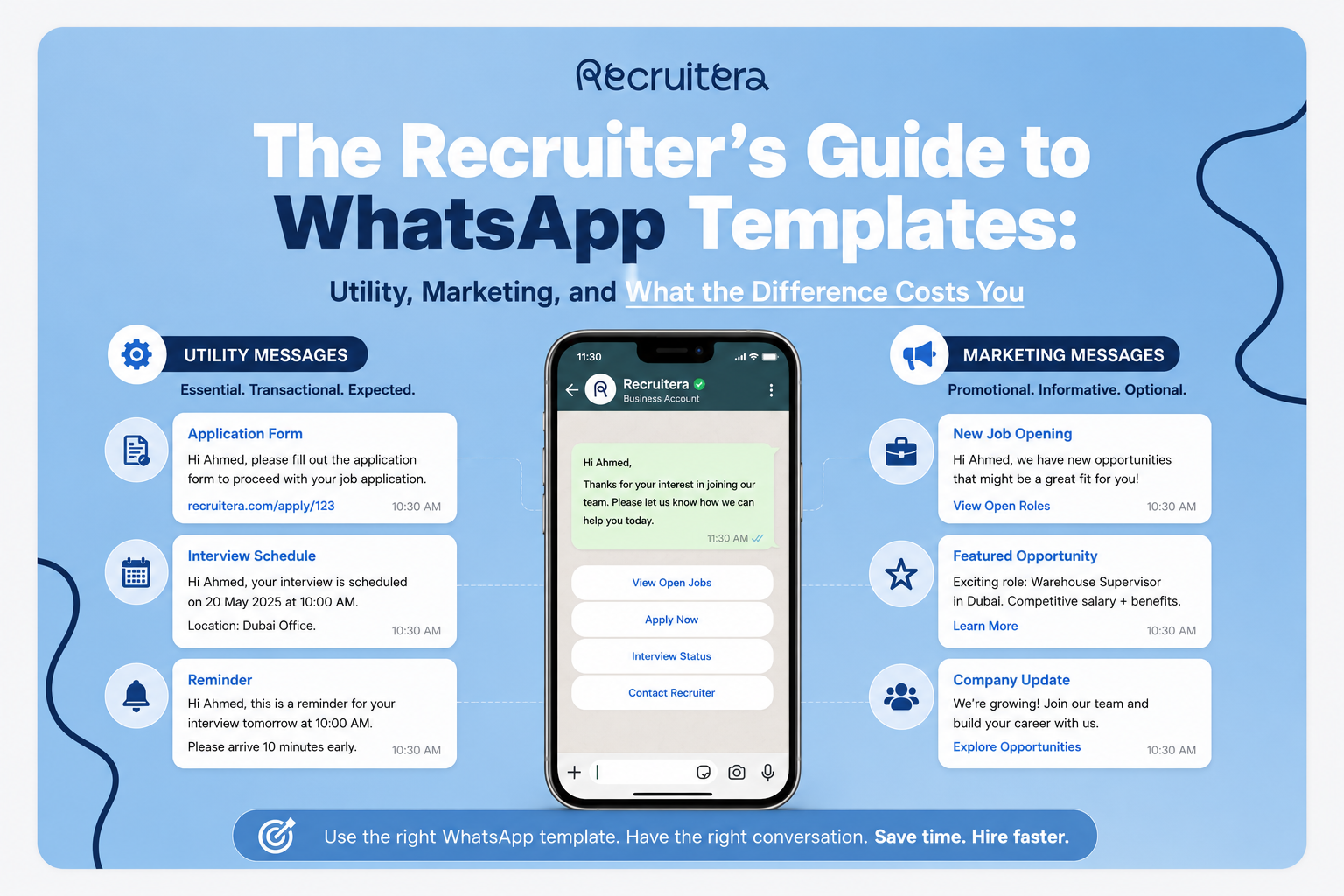
Utility Templates are for transactional and process-related communications. For hiring, Utility templates cover everything that happens once a candidate has initiated contact: application confirmations, interview invitations, status updates, offer letters, rejection messages. Utility templates cost approximately $0.003 per message in Egypt. See: Understanding WhatsApp Message Costs.
Marketing Templates are for messages the company initiates without a direct trigger from the candidate — job alerts, re-engagement messages, bulk outreach campaigns. Marketing templates cost approximately $0.027 per message in Egypt — roughly nine times the Utility rate. For a bulk send of 1,000 candidates, the difference between correctly categorized Utility and incorrectly categorized Marketing is the difference between $3 and $27.
Authentication Templates are for one-time passcodes. Not relevant for hiring workflows.
The Most Common Categorization Mistake
The most expensive mistake is submitting a Utility template with content that META classifies as Marketing. Keep Utility templates strictly functional. State what is happening, when it is happening, and what the candidate needs to do next. No promotional language. No enthusiasm about the role. Just the information the candidate needs.
How to Write Templates That Get Approved
Use clear, direct language. "Your interview for the [job_title] role at [company_name] has been confirmed" is clear. "We are thrilled to share some exciting news about your application journey" is not.
Match content to category. Utility content in Utility templates. Outreach content in Marketing templates. Never mix them.
Place variables correctly. Merge tags cannot appear at the very beginning or very end of the message body. They must be embedded within the text.
Be specific and concise. Vague templates are more likely to be rejected. Candidates on WhatsApp expect conversational, concise messages.
Essential Templates for a WhatsApp Hiring Flow
Application received confirmation — Utility.
Interview invitation — Utility.
Interview confirmation — Utility.
Interview reminder — Utility. Reduces no-show rates.
Offer notification — Utility.
Rejection message — Utility.
Job alert — Marketing. Sent to talent pool candidates when a new role opens.
Re-engagement message — Marketing.
Bulk outreach — Marketing.
The 24-Hour Free Window
When a candidate sends the first message, a 24-hour service window opens. During this window, all messages are free regardless of category. For hiring workflows where the candidate initiates contact, the screening conversation, interview scheduling, and confirmation all happen within this window at zero cost.
Frequently Asked Questions
How many WhatsApp templates can I create in Recruitera?
There is no fixed limit on the number of templates you can create in Recruitera. META's platform has its own limits per WhatsApp Business account, but for the scale of hiring operations typical among Recruitera's clients, these limits are not a practical constraint.
Can I edit an approved WhatsApp template?
Yes, but editing an approved template changes its status back to Pending — it must be re-reviewed and re-approved by META before it can be used again. If you need to make changes to an active template, create a new version with a different name while the original remains active.
How do I know if my template was approved?
Go to Settings → Templates → WhatsApp in your Recruitera account. Each template shows its current status — Pending, Approved, or Rejected. You can check this at any time.
Can I use the same template for both Arabic and English candidates?
No. WhatsApp templates are language-specific — you create a separate version of each template for each language. An interview invitation in English and an interview invitation in Arabic are two separate templates, each submitted and approved independently.
Further Reading
Also read: How to Set Up a WhatsApp Hiring Flow Without Losing Your Mind.
Conclusion
The practical rules are simple. Utility for everything transactional. Marketing for anything that is outreach. Keep Utility templates strictly informational, embed variables within the text, and submit before you need them. The nine-to-one cost difference between Utility and Marketing is reason enough to get the categorization right.
Huda Khaled is a Product Marketing professional at Recruitera, a MENA-focused applicant tracking system built by Basharsoft Group.
Ready to Hire Smarter?
Recruitera helps you see the person behind the resume. Book a quick demo and discover a better way to build your team.
Book a Demo

Recruiters' first go-to knowledge hub.
Visit resources →Practical guides on sourcing, interviewing and employer branding in MENA.
Read the blog →Job descriptions, offer letters, interview scorecards and onboarding checklists, ready to copy.
Browse templates →New features, improvements and release notes from the Recruitera team.
See what's new →